Training Guide 09
AI Writer — never start from a blank page
AI Writer is a library of ready-made templates for the things people actually write: ads, blog posts, product descriptions, emails, social posts, landing pages. Fill a short form, and the copy lands in a full document editor — with AI tools built into the toolbar for rewriting, expanding and translating what's there.
01 Before you start
How this differs from AI Chat.
💬AI Chat
A conversation. Best when you're thinking something through, or the task is unusual.
📝AI Writer
A form with a template behind it. Best for the writing you do repeatedly — it already knows the shape of a good product description.
Both draw on the same word credits, and both let you choose the AI model. The difference is structure: Writer gives you the right questions to answer, and a real document editor to finish in.
02 The template library
Browse by category, or search.
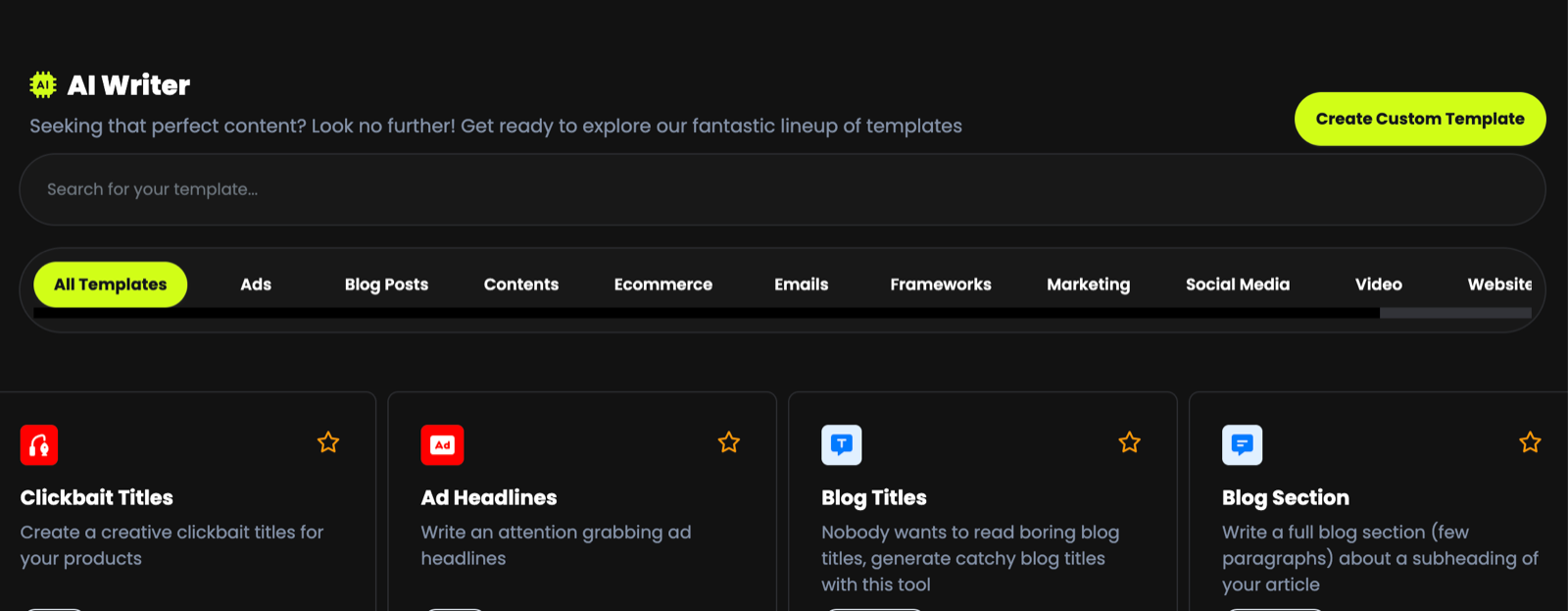
Templates are grouped into Ads, Blog Posts, Contents, Ecommerce, Emails, Frameworks, Marketing, Social Media, Video and Website — the tab strip scrolls, so there are more than fit on screen.
Every card has a star in its corner. Mark the four or five templates you use weekly and stop hunting through the grid every time.
| Template | Use it for |
|---|---|
| Article Generator | A title and outline in, a complete article out. The heavyweight of the library. |
| Blog Titles / Intros / Section / Conclusion | Building a post piece by piece, so you can steer each part. |
| Blog Ideas | When you know the topic but not the angle. |
| Ad Headlines | Short, punchy variations to test against each other. |
| Clickbait Titles | High-curiosity headlines for social and thumbnails. |
03 Your first piece
Form on the left, document on the right.
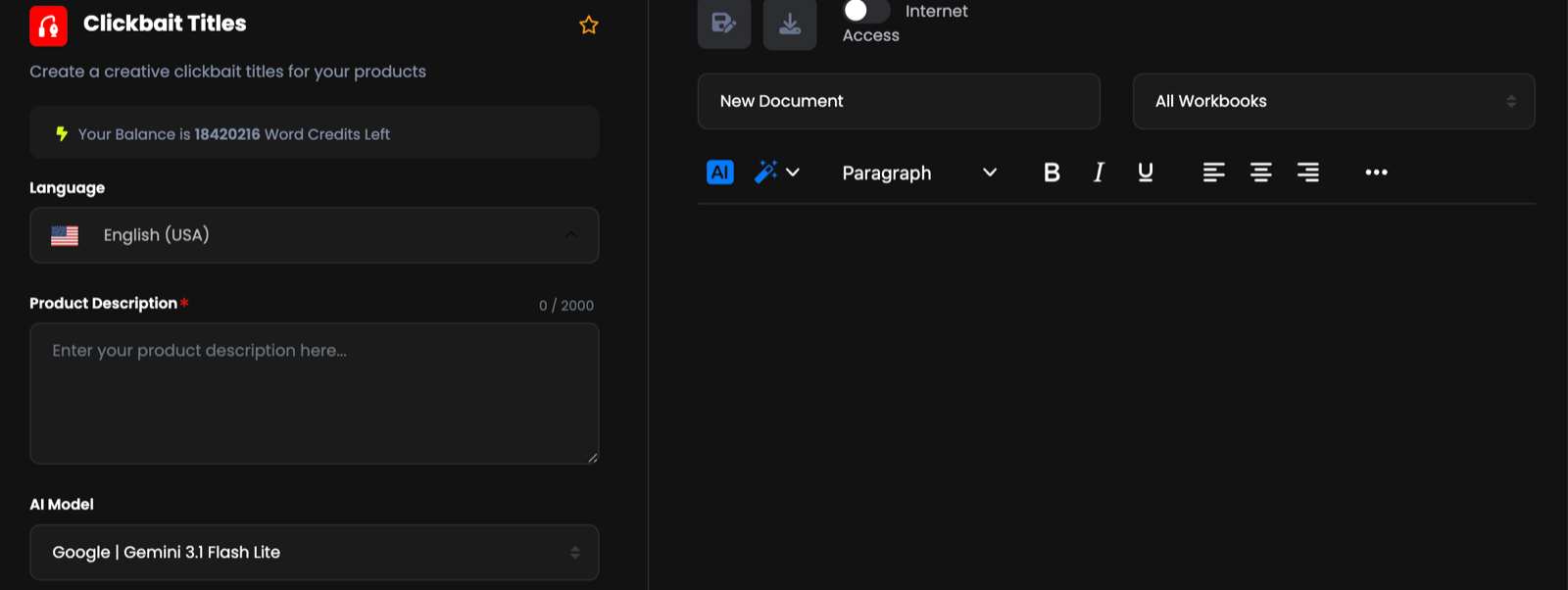
Open a template
Your word-credit balance is shown at the top of the form.
-
Describe what you're writing about
The main field — often Product Description — takes up to 2,000 characters. Two or three sentences is usually enough.
A vitamin C face serum for dull, tired skin. Lightweight, non-greasy, visible results in two weeks. Set the model, tone and length
Covered in the next section.
Press Generate
The result is written straight into the document editor on the right, where you can edit it immediately.
04 The form settings
Five controls that shape everything that comes out.
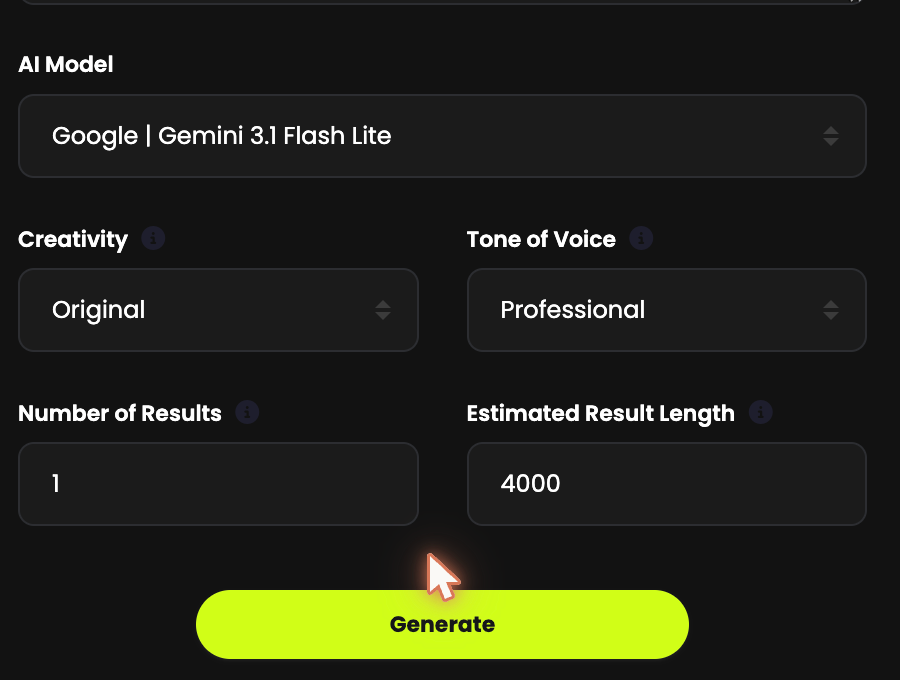
| Setting | What it does | Advice |
|---|---|---|
| Language | The language of the output | Write in any language, regardless of the language you type your brief in. |
| AI Model | Which AI writes it | The same roster as AI Chat. A fast model for drafts and bulk work; Claude or GPT-5.5 when the writing carries your name. |
| Creativity | How far it strays from the obvious | Lower for product facts and technical copy, higher for headlines and social. |
| Tone of Voice | The voice of the writing | Professional, casual, persuasive, friendly. The fastest single fix when copy sounds wrong. |
| Number of Results | How many versions | Set it to 3. Choosing between options beats accepting the first attempt. |
| Estimated Result Length | Roughly how long | Longer costs more word credits — set it near what you actually need. |
It defaults to 1. Three versions from one brief costs a little more but gives you something to choose between — and often the best line comes from combining two of them.
05 The document editor
Not a preview — a real editor.
The right-hand panel is a full rich-text editor: headings and paragraph styles, bold, italic, underline, alignment, and more under the … menu. Name your document in the field above it, and use the buttons at the top to save and download.
If 90% of the output is right, fix the other 10% in the editor. Regenerating costs credits and throws away the parts that worked.
06 AI tools inside the document
The most useful feature in AI Writer, hidden behind a small icon.
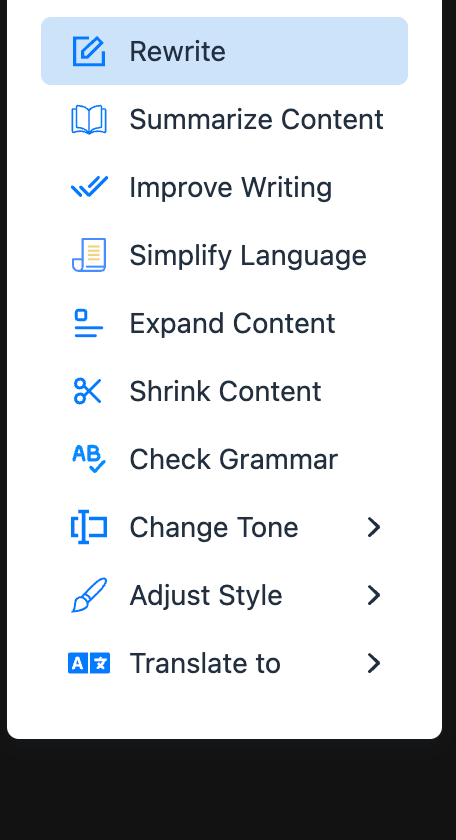
Select some text, click the wand, and choose:
| Action | What it's for |
|---|---|
| Rewrite | Same meaning, different words. The one you'll use most. |
| Summarize Content | Turn a long section into a short one. |
| Improve Writing | General polish without changing your meaning. |
| Simplify Language | Plainer words. Excellent for technical copy aimed at customers. |
| Expand Content | A thin paragraph becomes a full one. |
| Shrink Content | Cut length without losing the point — ideal for ad copy limits. |
| Check Grammar | A proofread pass. |
| Change Tone ▸ | Same text, different voice. |
| Adjust Style ▸ | Shift the writing style. |
| Translate to ▸ | Translate in place, without leaving the document. |
Generate the draft, then work through it selection by selection: expand the thin bit, shrink the rambling bit, change the tone of the opener, check the grammar. It's faster than re-briefing the form and you keep everything that was already good.
07 Internet Access
A toggle above the editor, off by default.
Switch Internet Access on and the writer can draw on current information from the web rather than only what the model already knows. Turn it on when the piece depends on recent facts — a news-led blog post, current prices, this year's statistics. Leave it off for everything else; it's faster, and most writing doesn't need it.
Web sources can be wrong or out of date. Before you publish a figure, a date or a claim about a competitor, verify it at the source.
08 Documents and workbooks
Keep client work separate from the start.
Name every document, and file it into a workbook using the dropdown above the editor. A workbook is a folder — one per client, per campaign, per project. It takes two seconds now and saves a lot of scrolling later.
Everything you write is saved under Documents in the main sidebar, where you can reopen it, keep working, or export it. That area is covered fully in Guide 10.
09 Custom templates
When the library doesn't have what you write every day.
Create Custom Template sits at the top right of the library. Build your own — your fields, your instructions — so the output arrives in your format and your brand voice every time, without you re-explaining it in every brief.
If you write the same kind of thing weekly — product listings in a house format, a weekly newsletter, client reports — build it once as a custom template. Every future piece then starts 90% correct instead of generic.
10 Troubleshooting & FAQ
The questions we're asked most.
The copy is generic
Your brief is too thin. Name the audience, the problem it solves, and one specific detail nobody else could claim. Then raise Creativity a little and set Tone of Voice deliberately.
Should I use AI Writer or AI Chat?
Writer when the task has a known shape — an ad, a product description, a blog intro. Chat when you're exploring, or the request is unusual enough that no template fits.
It only gave me one version
Number of Results defaults to 1. Set it to 3 before generating.
Can I keep editing after generating?
Yes — the right-hand panel is a real editor, and the wand menu gives you AI rewriting, expanding and translating on any text you select.
The output is longer or shorter than I need
Adjust Estimated Result Length and regenerate, or select the text and use Expand Content / Shrink Content — usually the better option, because it keeps what you already liked.
Where did my document go?
Into Documents in the sidebar, inside whichever workbook you filed it in. If you didn't name it, look for the most recent one.