Training Guide 14
UGC Video — one photo, a whole talking ad
UGC Video turns a single product or presenter photo and one line of script into a short, phone-style video ad — the kind that looks like a real customer talking to camera. The person in your photo speaks your words, with natural room sound, in a 10 or 15 second clip ready for TikTok, Reels, Shorts or a Facebook ad.
01 What it makes
Picture and voice in one go.

Open it from the sidebar: Ai Video → UGC Video. The page has three numbered steps on the left, and your finished ads on the right.
1 · A photo
Your presenter, your product, or a presenter holding your product.
2 · What they say
The exact words, spoken aloud in the video.
3 · What happens
The action and the camera move.
= A talking ad
1080p video with the speech and sound already in it. Download it, or open it in Video Studio.
02 Step 1 — The photo
The single most important choice. It decides the face, the product and the place.
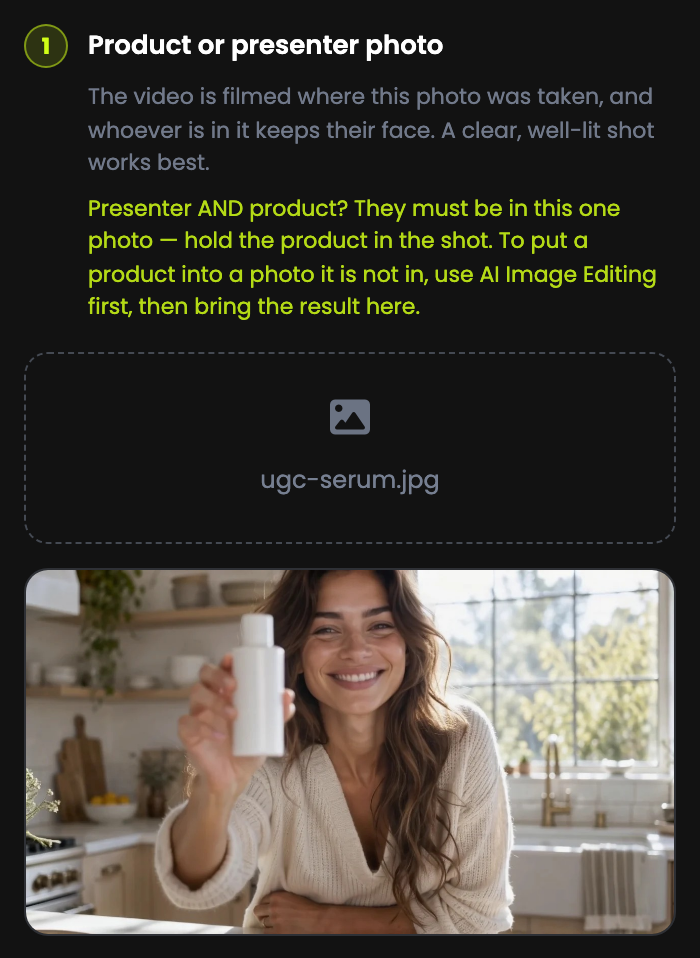
Whoever is in it keeps their face
The person in the photo is the person who speaks, and stays recognisably the same through the clip.
Presenter and product? Put both in one photo
The product has to be in the shot — ideally in their hand. The tool cannot add a product that is not in the photo.
Product not in the photo yet?
Use AI Image Editing first to put it there, then bring the edited picture here.
Clear, well lit, face visible
A sharp photo with good light and the face towards the camera gives the most natural speech.
| Works well | Works badly |
|---|---|
| One person, facing the camera, product in hand | A group shot, or a face in profile |
| Soft, even light | Dark, blurry or heavily filtered photos |
| Framed roughly the shape of the ad you want | A wide landscape shot for a vertical ad, with the product at the edge |
03 Step 2 — What they say
The exact words, spoken out loud.
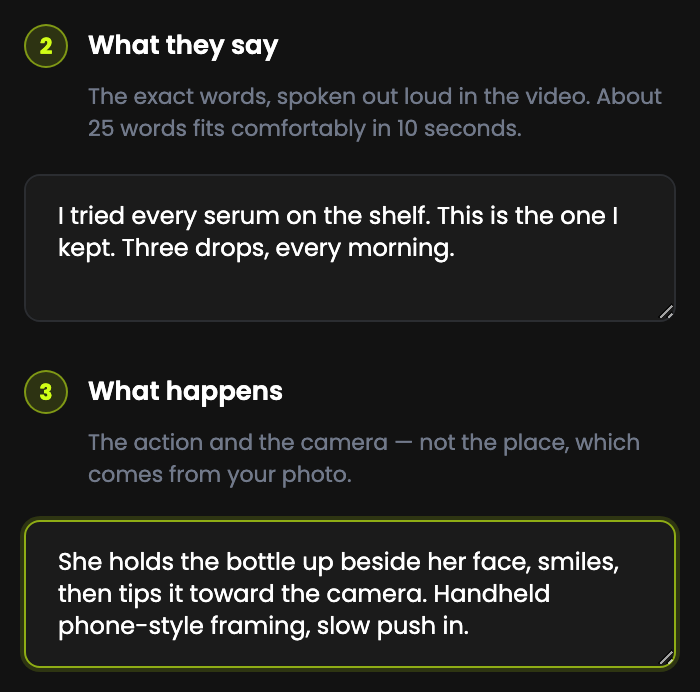
| Length | How much to write |
|---|---|
| 10 seconds | About 25 words — two or three short sentences |
| 15 seconds | About 35–40 words |
Write it the way people talk
Short sentences, contractions, one idea each. Read it out loud before you generate — if it is awkward to say, it will sound awkward.
Do not over-fill it
Too many words for the length makes the speech rushed or cut off. When in doubt, cut a sentence.
Spell out anything tricky
Write numbers and brand names the way they should be said — "twenty percent off", not "20%".
17 words — comfortable for 10 seconds, with room to breathe.
04 Step 3 — What happens
The action and the camera — not the place.
Describe what the person does while they talk, and how the camera moves. The location comes from your photo, so leave it out.
Describes the place (ignored)
"A woman in a bright modern bathroom with plants."
The setting is already fixed by the photo.
Describes action + camera
"She holds the bottle up beside her face, smiles, then tips it toward the camera. Handheld phone-style framing, slow push in."
A gesture, an expression, a camera style.
| Useful words | For |
|---|---|
| holds up, points to, taps, opens, pours, sips, turns it round | Showing the product |
| smiles, nods, leans in, laughs, raises an eyebrow | Natural expression |
| handheld phone-style framing, selfie angle | The authentic UGC look |
| slow push in, static tripod shot, slight sway | Camera movement |
05 More options
Four settings, all with sensible defaults.
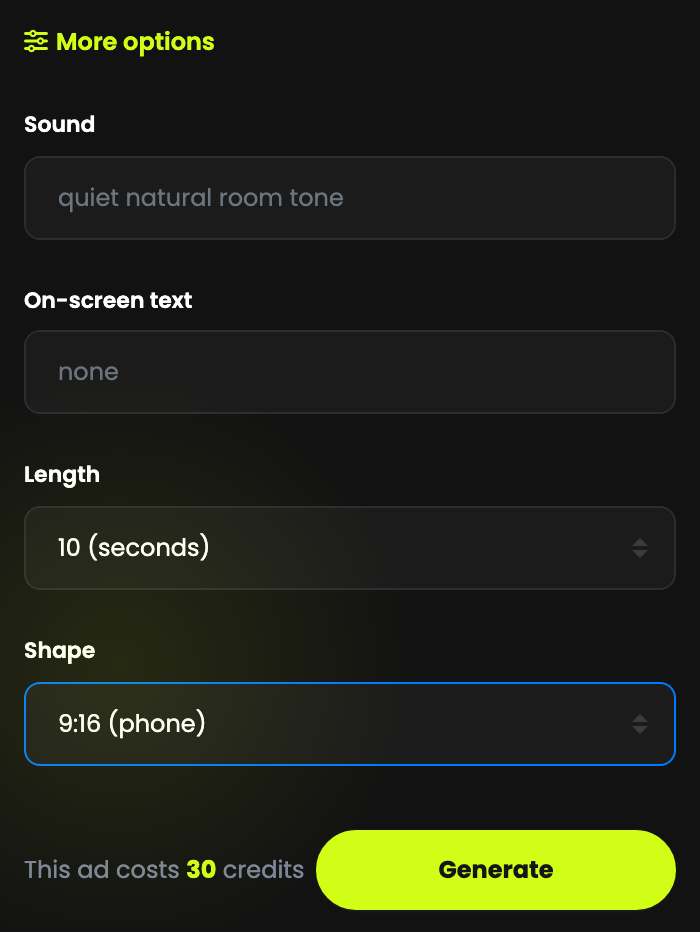
| Option | What it does | Default |
|---|---|---|
| Sound | Background sound under the voice — e.g. café chatter, birds outside, kettle boiling. | quiet natural room tone |
| On-screen text | A short caption shown in the video, up to 80 characters — e.g. 20% off this week. | none |
| Length | 10 or 15 seconds. | 10 seconds |
| Shape | 9:16 phone (TikTok, Reels, Shorts, Stories) · 1:1 square (feed posts) · 16:9 wide (YouTube, websites). | 9:16 |
06 What an ad costs
Media credits, priced per second, shown before you press Generate.
| Length | Media credits | Quality |
|---|---|---|
| 10 seconds | 30 | 1080p, with voice and sound |
| 15 seconds | 45 | 1080p, with voice and sound |
The price is on the page
The line beside the button reads This ad costs 30 credits, and updates when you change the length.
Shape does not change the price
9:16, 1:1 and 16:9 cost the same.
If it fails, you are refunded
If a video cannot be made, the card says so and your credits are returned automatically.
07 Generate & your library
A few minutes per ad. You do not have to wait on the page.
Press Generate
A card appears on the right: Building your video…
Close the page if you like
It can take a few minutes. The ad is saved to your library either way.
Watch it with the sound on
The voice is the point — check the words, the timing and the lip movement before you use it.
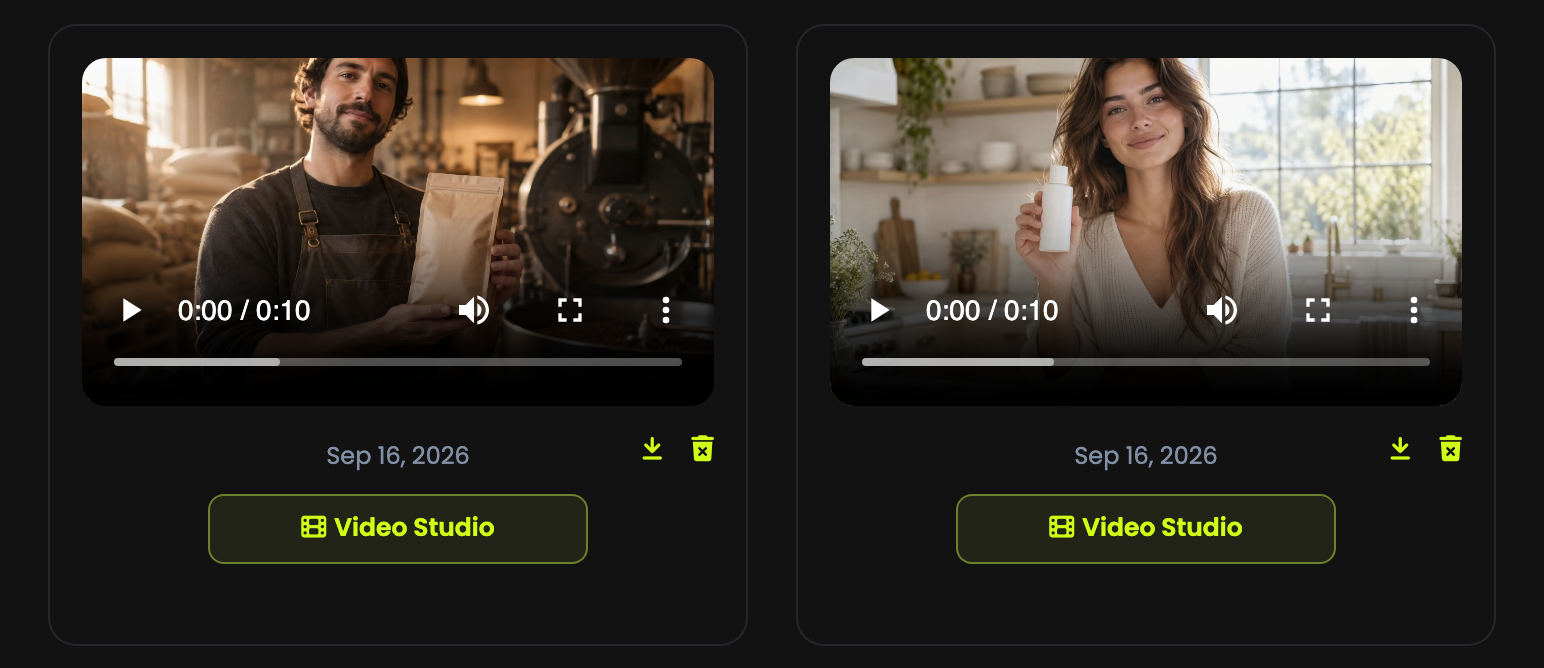
| Button | Use it to |
|---|---|
| Download | Save the MP4 to post or upload to an ad account. |
| Video Studio | Open the ad in the Video Studio timeline editor — for example to trim it or join it with other clips. |
| Delete | Remove it from your library. |
08 Writing an ad that works
Ten seconds is short. Spend it well.
Hook in the first sentence
People decide in a second whether to scroll. Open with a problem, a surprise or a result: "I stopped buying coffee from the supermarket."
One message per ad
One product, one benefit. Make three ads for three benefits and see which one wins.
End with what to do
"Link below." "Try it this week." Say it, or put it in the on-screen text.
Make variations, not one perfect ad
Same photo, different first lines. Testing a few short versions beats polishing one.
Skincare · 10 s
Says: "I tried every serum on the shelf. This is the one I kept. Three drops, every morning."
Happens: "She holds the bottle up beside her face, smiles, then tips it toward the camera. Handheld phone-style framing, slow push in."
Coffee roaster · 10 s
Says: "We roast every bag the week it ships. Smell that? That's why it tastes like this."
Happens: "He lifts a bag toward the camera and nods. Static shot, slight handheld sway." Sound: "roaster humming, beans rattling"
09 Photos of real people
The person in your photo is made to say your words. Treat that seriously.
Be honest in the words
Do not put fake testimonials or claims your product cannot back up in someone's mouth. Advertising rules apply to AI ads exactly as they do to filmed ones.
Label AI content where the platform asks
TikTok, Meta and YouTube all have settings for disclosing AI-generated or altered content. Use them.
Requests can be refused
Your script is checked before anything is generated, and the video provider applies its own safety checks. Content that breaks the rules is not made, and a refused video is refunded.
10 Troubleshooting & FAQ
"Almost there — Add what they say and what happens"
Both text boxes are required. Fill in steps 2 and 3.
The ad is in the wrong place
The place comes from the photo, not the text. Use a photo taken where you want the ad set.
My product was cut out of the frame
A vertical ad is taken from the middle of the photo. Centre the product, use a portrait photo, or choose 1:1 or 16:9.
The speech sounds rushed or stops early
Too many words for the length. Aim for about 25 words for 10 seconds, or switch to 15 seconds.
The product is not in the video
It has to be in the photo. Add it with AI Image Editing first, then upload the edited image.
Generation failed
Your credits are refunded automatically. The most common cause is a photo or words the provider will not accept — change the image or the script and try again.
Can I choose the voice?
No — the voice is generated to suit the person in the photo. The words are exactly what you type.
What language can they speak?
Write the script in English for the most reliable results.
Can I make it longer than 15 seconds?
Make two or three ads and join them in Video Studio.
Can I use the ads commercially?
Yes — ads generated on a paid plan are yours to use in your marketing, as long as you have the rights to the photo you uploaded.